Contents
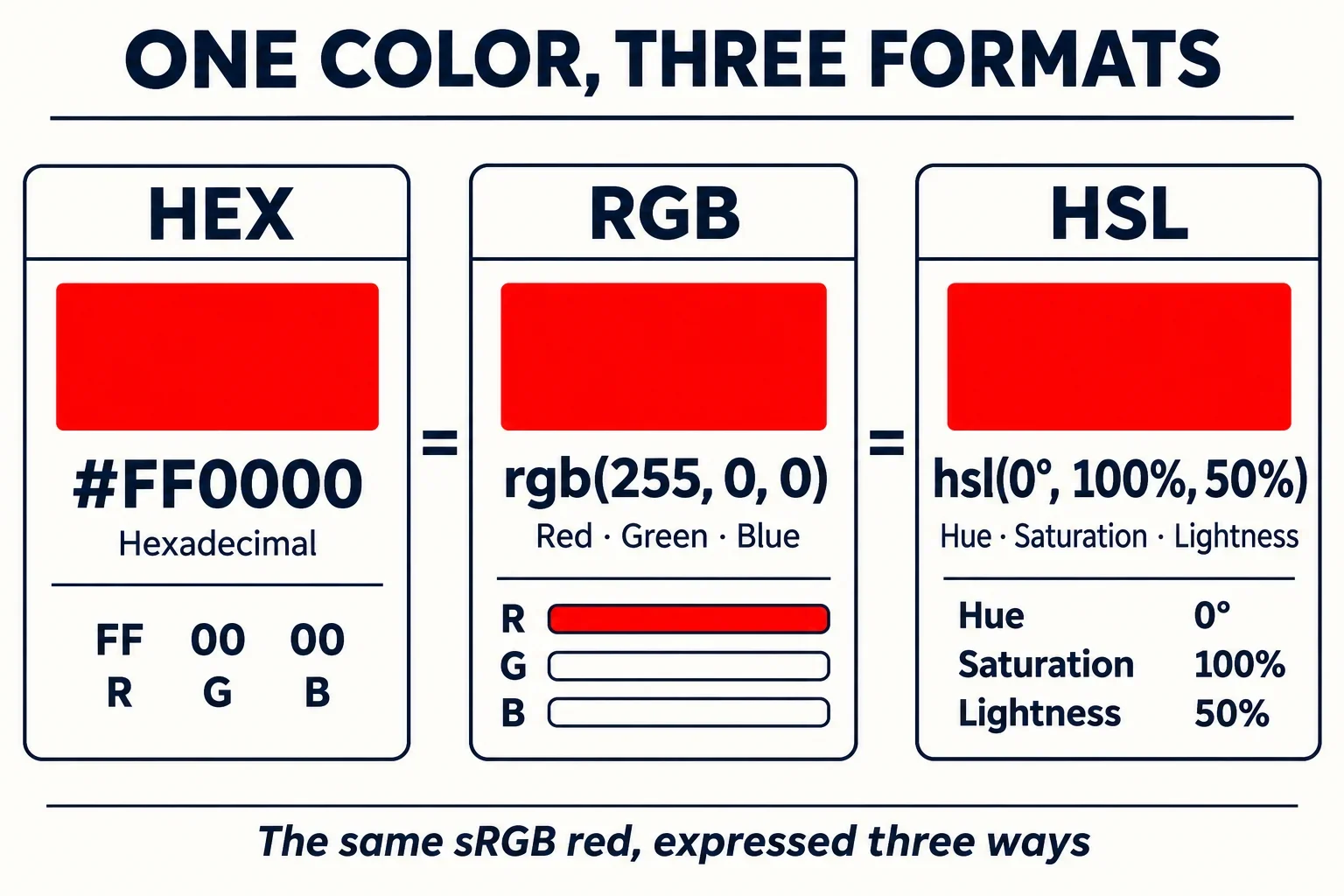
HEX, RGB, and HSL all describe colors in the same sRGB color space, but they present the information differently and suit different tasks. HEX is compact and widely expected by design tools, RGB gives decimal channel values, and HSL separates hue, saturation, and lightness so you can create variations by changing one number. Because none of these formats is perceptually uniform, equal lightness percentages can still look differently bright. Understanding the inputs, outputs, and best uses of each format helps you store, edit, vary, and check colors more confidently.
HEX format: inputs, outputs, and best use
HEX is one of three ways to encode the same sRGB color information. Users can enter a six-digit HEX code such as #RRGGBB directly into a color input or read it as an output from a visual color picker. Each pair of digits corresponds to one color channel: red, green, and blue. Because each channel is represented by two hexadecimal digits, the valid range runs from 00 to FF for red, green, and blue individually, meaning each channel accepts values equivalent to 0 through 255 in decimal. HEX is identical information to decimal RGB notation, just written differently.
Modern CSS also accepts eight-digit HEX codes in the #RRGGBBAA pattern, where the last two digits encode alpha transparency. For example, #6D5EFC80 represents roughly 50% opacity, although readers should verify exact alpha support in the specific CSS environment they are using.
Three-digit shorthand such as #FFF expands to six digits by repeating each digit: #FFF becomes #FFFFFF. This shorthand is only valid when each pair contains identical digits, so it offers a compact way to write common colors while preserving the same channel values.
HEX is best suited for storing fixed brand colors, sharing swatches with teammates, and working with design tools that expect compact color strings. It is unambiguous and widely recognized across codebases and design applications. However, HEX is less convenient for human adjustment because changing one pair of digits does not directly express lightness, saturation, or hue relationships. Users who need to generate hover states, disabled variants, or tonal scales usually benefit from editing in HSL instead and then exporting the result as HEX for storage or implementation.
If a workflow requires both human-editable variations and compact storage, users can define colors as CSS custom properties using HEX and HSL values side by side, then reference tokens so changing one source color updates every usage. Exact support for custom properties and alpha HEX should be confirmed in the target browser or build environment.
RGB format: inputs, outputs, and best use
RGB describes colors using separate red, green, and blue channels. In CSS, each channel accepts an integer from 0 to 255 inclusive, a percentage from 0% to 100%, or the keyword none, which resolves to zero for that channel. The same values can therefore be written as rgb(255 0 0), rgb(100% 0% 0%), or rgb(none 100% none). A slash and alpha value may follow to control opacity, such as rgb(109 94 252 / 0.5).
HEX and RGB carry identical color information in the sRGB color space; one is simply hexadecimal notation and the other decimal notation. #RRGGBB expands to rgb(RR, GG, BB), where each two-digit hex pair converts to its decimal channel value. Because the underlying model is the same, changing formats does not change the displayed shade.
RGB is most useful when users want to inspect or adjust individual channel intensity directly. It is also a natural intermediate format when entering values into PaletteBench’s color picker, which keeps HEX, RGB, and HSL in sync for one selected color. For fixed brand storage, HEX remains the more compact convention, while HSL is better suited to arithmetic variations. RGB fits best when decimal channel values are needed or when a designer wants to see red, green, and blue contributions at a glance.
HSL format: inputs, outputs, and best use
HSL stands for hue, saturation, and lightness. Instead of entering separate red, green, and blue numbers, a user describes color by its position around the color wheel, its intensity, and its position between black and white. Hue is measured in degrees from 0 to 360, with 0 red, 120 green, and 240 blue. Saturation runs from 0 percent to 100 percent; at zero, the color becomes grayscale, while 100 percent is full color intensity. Lightness also runs from 0 percent to 100 percent, where zero is black, 100 is white, and 50 represents the pure color.
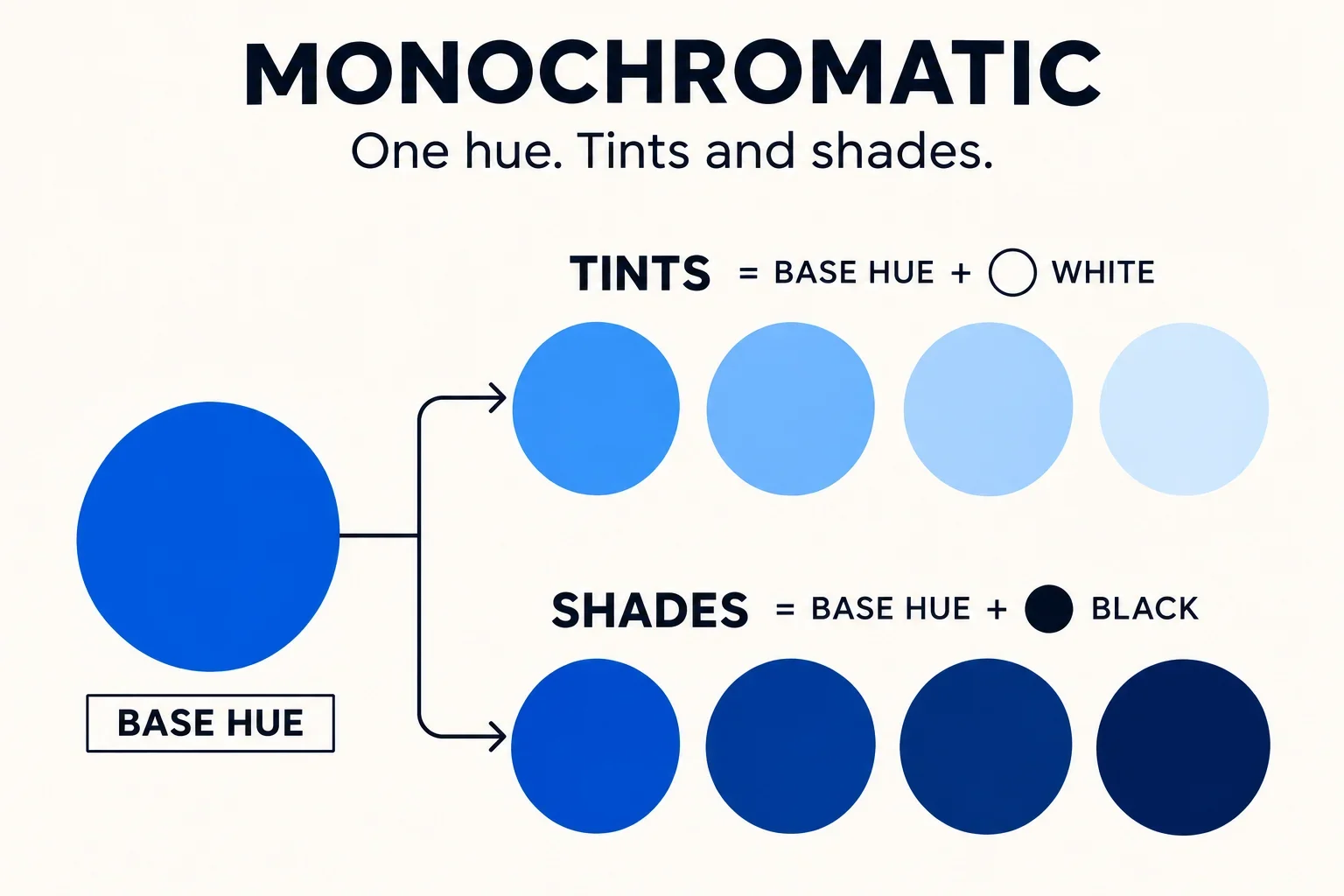
Because hue, saturation, and lightness are separate controls, HSL is useful for making coordinated color variations. A designer can hold hue and saturation steady while lowering lightness to create a darker hover state, reduce saturation for a disabled state, or sweep lightness through several values to build a tonal scale. This arithmetic approach means changing one number produces a predictable family shift, whereas editing a six-digit HEX code or three RGB channels requires reasoning about how all channels interact.
HSL lightness, however, is not perceptually uniform. Two colors with the same lightness percentage can appear very different in brightness to the human eye; yellow at 50 percent lightness typically looks much brighter than blue at 50 percent lightness. As a result, HSL tonal scales built only by changing lightness may look uneven and often need manual correction before they are used in an interface. OKLCH addresses this issue, but it is outside the three formats covered in this guide.
Choosing between HEX, RGB, and HSL
There is no single best format for every task. HEX, RGB, and HSL represent the same underlying sRGB color information, but they are written differently and serve different workflows. The right choice depends on whether you are storing a final value, editing channels by hand, generating a family of related colors, or checking contrast between text and background.
Store fixed brand colors as HEX because it is compact, unambiguous, and universally expected by design tools and teammates. A six-digit HEX code such as #1E3A8A is easy to copy into stylesheets, design files, and component libraries without explaining decimal ranges or percentage syntax. Eight-digit HEX can also carry alpha information, such as #RRGGBBAA, where the last pair encodes opacity; for example, #6D5EFC80 is roughly 50% opacity. If you need to share a color with someone who does not use a color picker, HEX is usually the safest common language.
Choose RGB when you want to read or adjust individual red, green, and blue channels in decimal notation. Each channel accepts values between 0 and 255 inclusive, and modern CSS also accepts percentages from 0% to 100% or the keyword none equal to 0 for each channel. RGB makes channel relationships visible—high red and green with low blue reads as yellow—but changing a color meaningfully still requires touching several numbers at once. Hexadecimal and rgb() values use the same RGB model and sRGB color space, so converting between them loses no color information.
Use HSL when you need to create variations from a starting color. HSL uses hue from 0 to 360 degrees, saturation from 0% to 100%, and lightness from 0% to 100%. Hue 0 is red, 120 is green, and 240 is blue; lightness 0 is black, 50 is the pure color, and 100 is white. You can lower lightness for hover states, reduce saturation for disabled versions, or sweep lightness across a tonal scale while holding hue and saturation constant. Changing one number is far easier than converting three HEX channels, which is why HSL is the better editing workspace for derivatives.
Be aware that HSL lightness is geometric rather than perceptual. Yellow at 50% lightness looks far brighter than blue at 50% lightness, so an HSL tonal scale can look uneven and may need manual correction. If perceptual evenness matters for your project, verify results visually rather than assuming equal lightness percentages produce equal apparent brightness. OKLCH addresses this issue, but it is outside the three formats covered here.
For tokens and design systems, define HEX and HSL values as CSS custom properties and reference those tokens. Swapping a brand color then becomes one edit at the token definition instead of many edits across components. HEX works well for the published token value, while HSL works well for generating light and dark variants from that token.
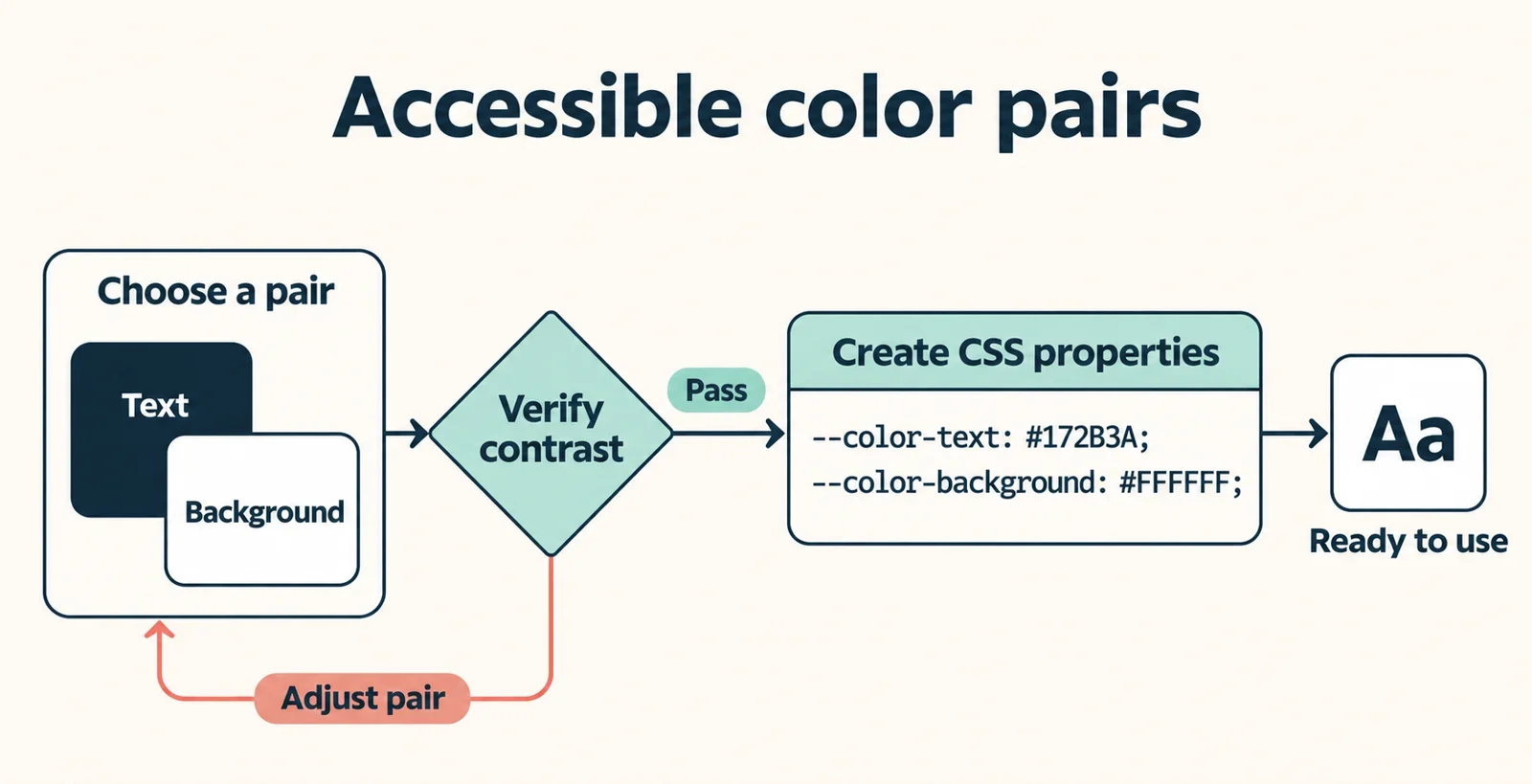
When checking text contrast, remember that WCAG thresholds apply to the rendered color pair regardless of which format you entered. Normal text needs 4.5:1 for AA and 7:1 for AAA; large text needs 3:1 for AA and 4.5:1 for AAA. Convert or inspect the pair in whichever format your contrast checker accepts, then confirm the ratio before finalizing the color.
A practical rule is to author in HSL, store in HEX, and verify in contrast-checking terms. Keep the source token readable for teammates, generate variants with one-channel adjustments, and test the final rendered pair rather than relying on format alone.
Reader questions to consider before finalizing a palette:
- Does the team share colors mostly in HEX, or do developers need editable RGB channels?
- Are hover, disabled, and focus states generated by changing one HSL number?
- Have lightness-based tonal scales been checked visually for uneven brightness?
- Does the final text-on-background pair meet the WCAG ratio for its text size?
Using PaletteBench tools with these formats
PaletteBench lets users move between HEX, RGB, and HSL without losing color information because each format describes the same sRGB color in a different notation. The color picker shows all three values for one selected shade, so a user can copy the notation that fits the current task.
Color picker
Users can choose a shade visually or type a value directly. Once a color is selected, PaletteBench displays HEX, RGB, and HSL side by side and keeps them synchronized. Changing the color in any one view updates the other two automatically. This is useful when a designer starts with a brand HEX code but needs an HSL value to calculate a lighter hover state, or when a developer wants decimal RGB values for code while keeping HEX for documentation.
Palette generator
The palette generator builds four-color harmonies—complementary, analogous, triadic, and tetradic—around a starting color. Since harmonies are relationships between hues, editing in HSL often makes the most sense: users can sweep lightness while holding hue and saturation fixed to create tonal scales. A swatch can be locked to preserve it through scheme changes and randomization. After adjusting lightness, users should verify that the resulting colors still work together and meet accessibility needs before exporting.
Contrast checker
The contrast checker tests color pairings against WCAG thresholds: 4.5:1 for normal text at AA, 7:1 for normal text at AAA, 3:1 for large text at AA, and 4.5:1 for large text at AAA. Because HSL lightness is not perceptually uniform, two colors at the same lightness percentage can look very different in brightness and may produce different contrast results. Users should check contrast after any lightness change in a palette rather than assuming equal percentages mean equal accessibility.
Choosing output formats
Export HEX when sharing fixed brand colors with design tools or teammates. Use HSL while creating variations such as disabled states or hover tones. Keep both values available through CSS custom properties so a single token edit updates every occurrence instead of requiring many separate replacements.