Contents
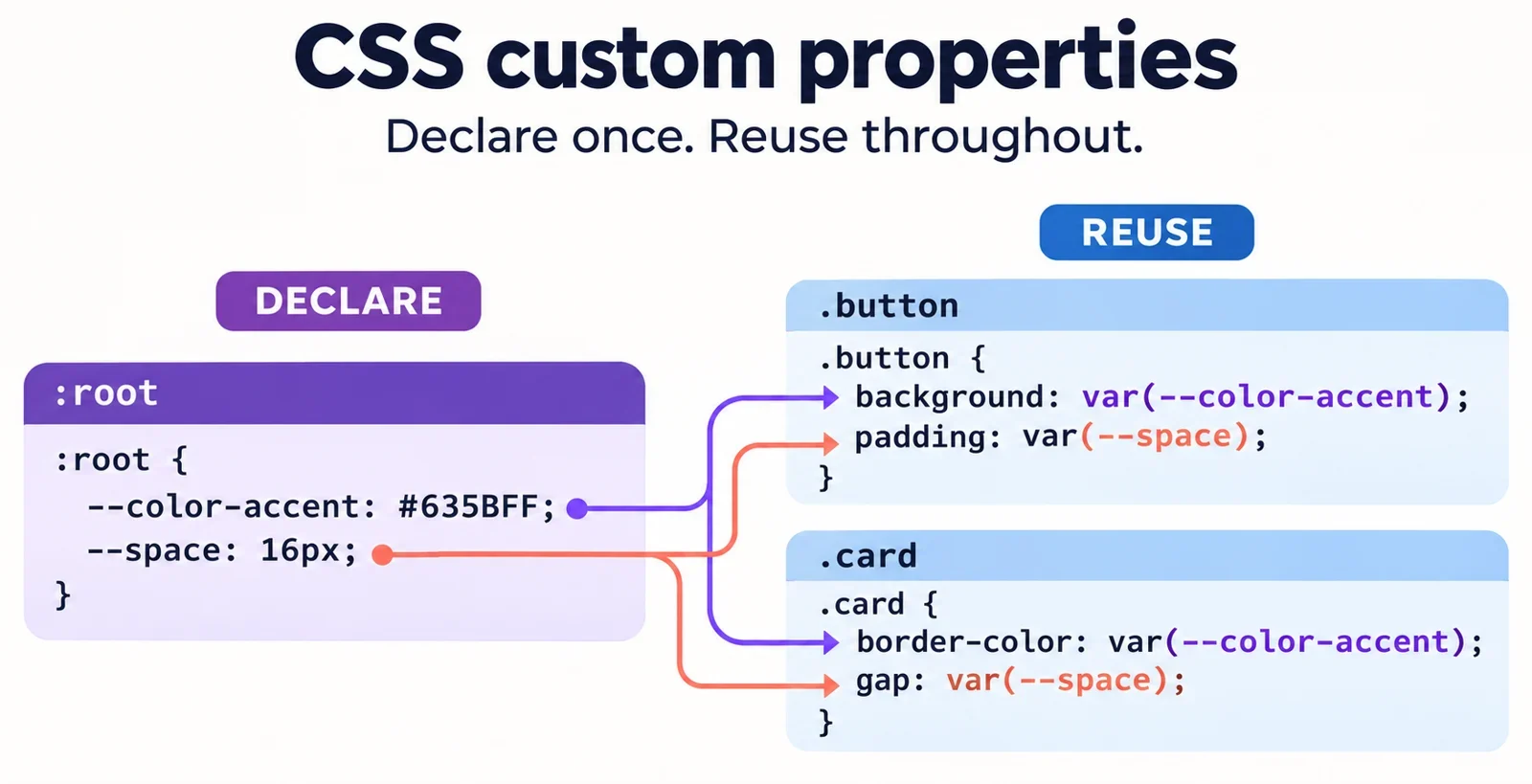
Reusing a color palette across a project often starts with copying hex or RGB values into every stylesheet. That approach creates maintenance problems whenever a brand color changes or a shade needs adjustment. CSS custom properties offer a more maintainable alternative: define a color once with a two-dash custom property name, then reference it elsewhere with the var() function. When the custom property value changes, every element that references it updates automatically.
This guide covers how custom properties work in CSS, how palette variables are declared and referenced, and how color palettes can be exported into stylesheet code or design-token structures. It also explains the practical difference between declaring variables on :root and scoping them to specific selectors, and what to consider when preparing exports for production workflows. Readers working on content design systems or multi-page sites can use this as a planning reference before committing to an export format.
Foundations of Custom Properties in CSS
CSS custom properties are author-defined variables that store values for reuse throughout a stylesheet. A custom property begins with two dashes, such as --brand-primary, followed by a colon and a value such as #0066cc or rgb(0, 102, 204). Once declared, the value can be referenced by other declarations using the var() function.
One practical benefit is the reduction of repeated raw values. Instead of writing the same brand color in button styles, heading styles, link styles, and focus-outline styles, a team can declare the color once and reference that single token everywhere. If the brand later adopts a slightly different shade, only the custom property definition needs updating.
Custom properties participate in the CSS cascade and inheritance. A property declared on an ancestor element is inherited by descendants unless overridden, so theming can be managed at a high level and adjusted locally when needed. For example, a site could declare a palette on :root for global use, then redefine a specific color inside a dark-mode class or component wrapper without touching every individual rule.
Color shade and tint values can be exported to a CSS file where color modes are applied via the :root selector. This means exported palette code often centers on :root declarations, making it straightforward to apply a whole shade system globally and then vary it by theme or component scope.
Browser support for custom properties is broad in modern evergreen browsers, but older browsers may ignore var() references entirely. Teams supporting legacy environments should plan fallbacks, such as providing a raw color value before the var() call so unsupported browsers still render something readable.
Case sensitivity matters for custom property names: --Brand-Primary and --brand-primary are treated as different properties. Authors should adopt a consistent naming convention and stick to it across exported files to avoid mismatches between declarations and references.
When planning an export, verify that the target stylesheet pipeline preserves custom property syntax exactly as written. Some minifiers or older build tools may alter or strip declarations they do not recognize, so testing the output in target browsers is a practical step before rolling out a palette export.
Reader questions
- What happens if a custom property is declared but never referenced with
var()? It is stored but has no visual effect until a declaration calls it. - Can exported palette values include fallback colors? Yes,
var()supports a fallback value used when the custom property is unavailable or invalid. - Should every exported shade live on
:root? Not necessarily; keep globally reused shades on:root, and scope component-specific or theme-specific shades to more targeted selectors. - How do I verify an export worked? Open the generated stylesheet, confirm
--declarations andvar()calls appear unchanged, then check rendering across target browsers.
Declaring and Referencing Palette Variables
Declaring a palette variable starts with a custom property name using two dashes. On the :root pseudo-class, which represents the root element of the document, declarations look like this:
:root {
–color-primary: #0066cc;
–color-secondary: #6c757d;
–color-background: #ffffff;
–color-text: #1a1a1a;
}
Each declaration assigns a color value to a named token. The names are arbitrary, but a consistent prefix such as –color- makes the palette easier to scan and maintain.
To use a token, reference it with the var() function inside any property that accepts a color value:
button {
background-color: var(–color-primary);
color: var(–color-background);
border: 1px solid var(–color-primary);
}
The var() function also accepts an optional fallback value, which is used if the custom property is invalid or undefined at the point of use:
button {
background-color: var(–color-primary, #0066cc);
}
Fallbacks are useful during migration, when some components may not yet have access to the full token set, or when a theme class is removed and the variable is no longer defined.
Scope determines where a variable is available. Declaring on :root makes the variable globally available throughout the document because :root matches the highest-level element and its descendants inherit custom properties. Scoping to a specific selector limits availability to that selector and its descendants:
.card {
–color-accent: #ff6600;
}
.card-title {
color: var(–color-accent);
}
In this example, –color-accent is available inside .card and its children, but not in unrelated components. This pattern supports component-level theming and reduces the risk of name collisions in large codebases.
Modern CSS also offers the @property at-rule for registering custom properties with explicit syntax, inheritance behavior, and initial values. Registration can enable smoother transitions and animations and can catch invalid values earlier, but support should be verified against target browsers because it is newer than basic custom property support.
For exported palettes, teams should decide whether every token belongs at :root or whether certain shades are component-specific. Global brand colors usually fit :root, while accent colors used only inside one widget may be better scoped locally.
Exporting Palettes as Code and Design Tokens
Exporting a palette means turning selected color shades into a form that developers and design systems can consume. Based on available documentation, one typical output is a CSS file where color modes are applied through the :root selector. In that structure, each shade becomes a custom property declaration, making the palette immediately usable in stylesheets.
Other projects export design tokens as structured data files, commonly JSON, which store color names and values without CSS syntax. These token files can then be transformed into CSS custom properties, Sass variables, Less variables, or platform-specific formats during a build step. The exact export options depend on the tool or platform used, so readers should check the specific export settings available in their workflow rather than assuming a particular format is included.
When comparing formats, CSS custom properties are browser-native and require no build transformation, but they are tied to stylesheet delivery. JSON tokens are platform-agnostic and can feed multiple codebases, but they require a build process or script to convert them into usable CSS. Some teams keep both: JSON as the source of truth and generated CSS as the consumable output.
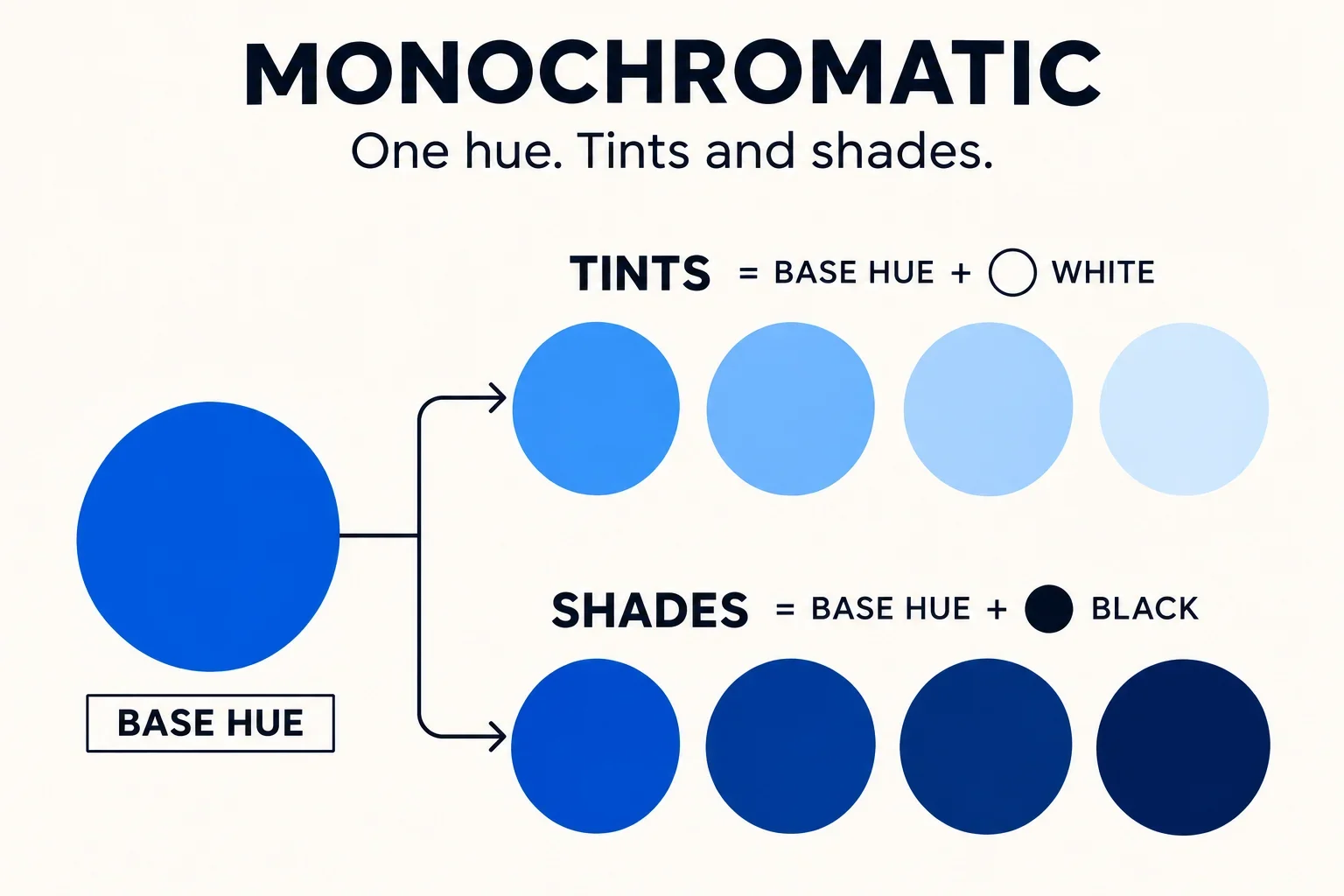
Shade and tint management is another consideration. A palette export may include base colors plus lighter tints and darker shades, each with its own custom property. Naming conventions such as –color-primary-50 through –color-primary-900 help keep related shades grouped and predictable.
Before using an export in production, verify that the generated CSS preserves two-dash property names and that var() references resolve correctly in target browsers. If a build step transforms tokens, confirm that the output does not rename or drop custom properties. For teams supporting older browsers, consider whether the export should include static fallback values alongside variable references.
Finally, treat exported token files as configuration that benefits from version control. Recording which palette version produced which CSS output helps teams trace changes when a shade is adjusted or a color mode is added.