Contents
PaletteBench is a browser-based color toolkit with three focused tools: a color picker, a palette generator, and a contrast checker. Together they give users a lightweight way to record exact color choices, generate coordinated palettes, verify accessibility contrast, and turn those outputs into documentation for a design system. This article walks through each tool’s inputs and outputs, explains the WCAG thresholds the contrast checker applies, and suggests what to include when translating results into a usable style guide. USWDS color token guidance is included as a complementary reference for token names, grades, and contrast baselines.
PaletteBench tools and what they document
PaletteBench provides three browser-based tools that each document a different part of the color workflow.
Color picker. Users can choose a shade or enter a value and view HEX, RGB, and HSL values that stay in sync as the selection changes. The tool displays a selected color preview and a copy output in the format the user needs. An example selected color is #4338CA. HEX supports #RGB or #RRGGBB; RGB uses 0–255 values; HSL uses hue 0–360 with saturation and lightness from 0–100%.
Palette generator. The generator builds a harmony from a starting color or a randomized point. It offers Complementary, Analogous, Triadic, and Tetradic harmonies and supports locking swatches through scheme changes and randomization. The generator produces four colors in one direction and supports copy or export into the next project.
Contrast checker. The checker accepts a text color in HEX and a background color in HEX, then reads the contrast result. It supports documentation of whether a pairing passes WCAG AA or AAA thresholds for normal and large text.
These outputs give design-system authors concrete values to record rather than relying on visual memory or inconsistent screenshots.
Using the color picker to record exact colors
To document a color precisely, a user chooses a shade visually or enters an existing value. The picker updates HEX, RGB, and HSL representations simultaneously, so the author can select the format that matches their design-system convention. The color preview confirms what the value looks like before it is recorded.
For example, if the selected shade is #4338CA, the author can copy that HEX value along with its equivalent RGB and HSL forms and add them to a color token entry. Recording all three formats helps developers and designers implement the color consistently across code and design tools.
Readers should verify in their own instance of PaletteBench which copy buttons or export options are available, because the outline does not specify every output button or clipboard behavior.
Building and locking a palette
A four-color palette can be built starting from a chosen color or from a randomized point. The generator offers Complementary, Analogous, Triadic, and Tetradic harmony options. After selecting a harmony, individual swatches can be locked so they remain fixed when the scheme changes or the palette is randomized again.
The generator produces four colors in one direction. Users can copy those colors or export them into the next project, making it practical to move a candidate palette from exploration into documentation. Authors should confirm whether their version of PaletteBench saves palettes persistently or only provides a one-time copy/export, since the supplied material does not describe save behavior, file formats, or team handoff features.
Checking contrast against WCAG thresholds
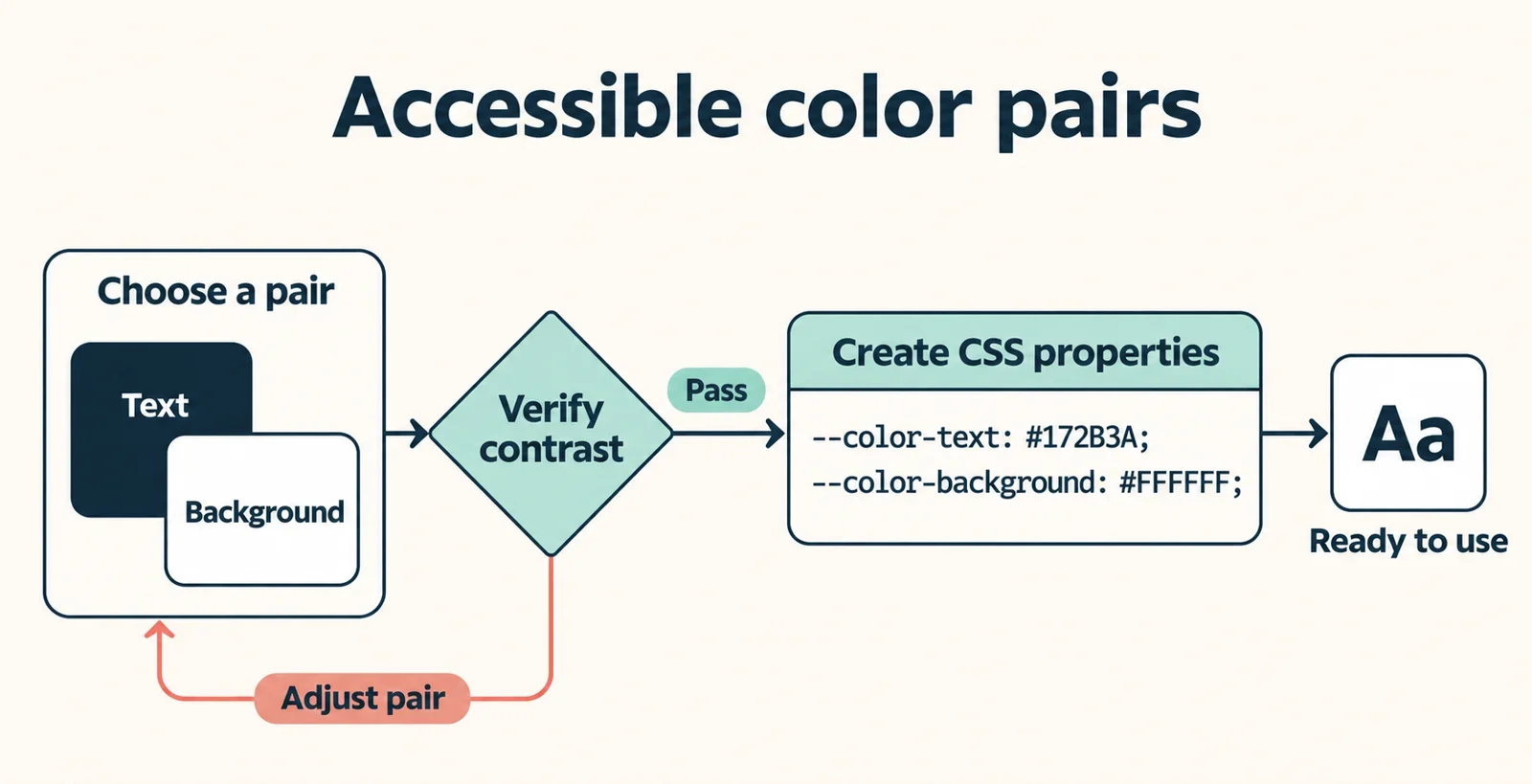
The contrast checker accepts a text color in HEX and a background color in HEX and returns a contrast result. WCAG thresholds apply differently depending on text size:
- Normal text: 4.5:1 for AA, 7:1 for AAA
- Large text: 3:1 for AA, 4.5:1 for AAA
Large text is defined as 18 pt or 14 pt bold.
The supplied material gives one concrete example: white text on #4338CA measures 7.90:1 and passes normal-text AA and AAA. Authors can document this kind of result directly in a design system by recording the text color, background color, measured ratio, and the highest conformance level achieved.
Readers should test their actual foreground and background pairs in the tool rather than assuming a ratio, and should record pass/fail outcomes for each state where color contrast matters.
Translating results into design-system documentation
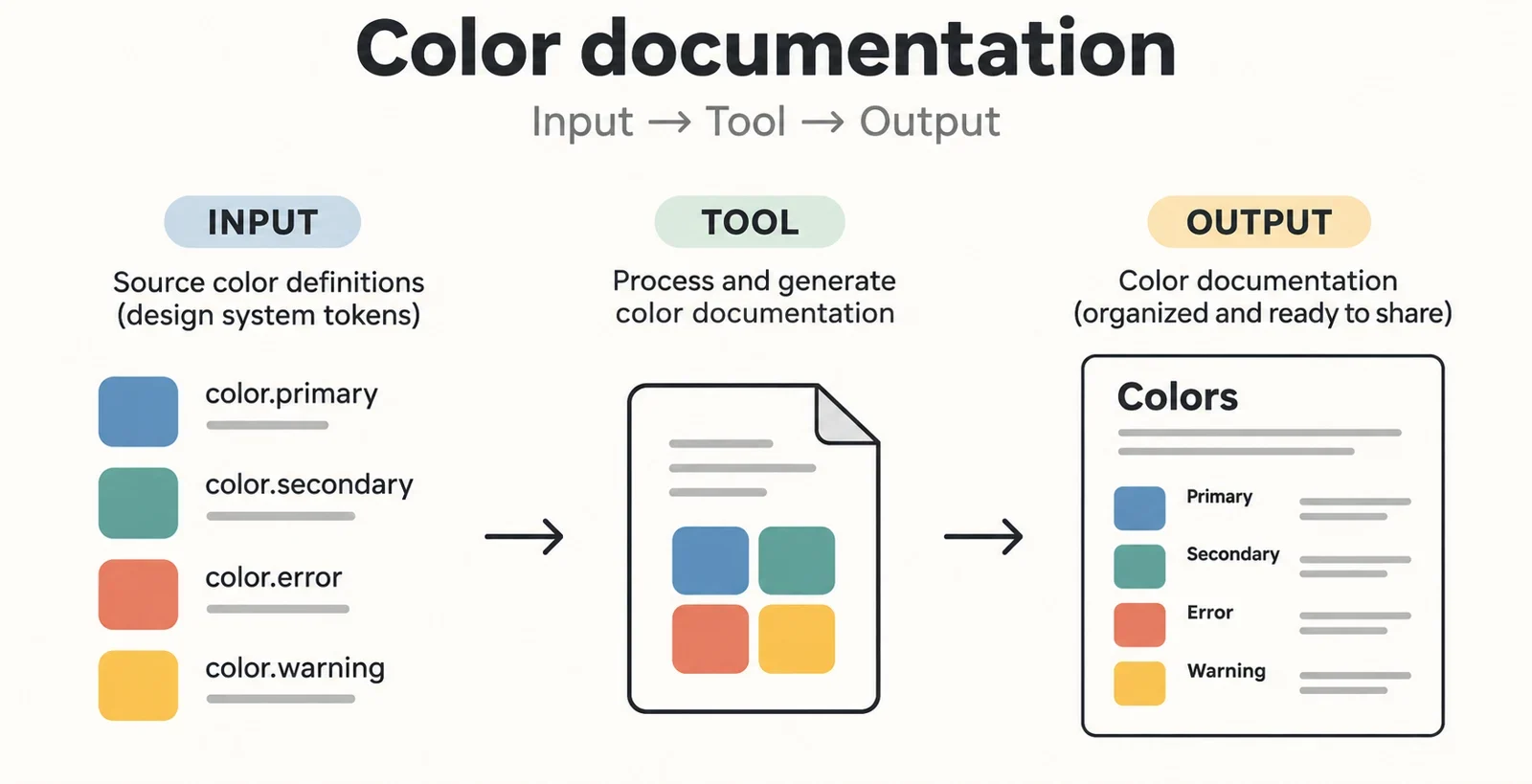
Color documentation should go beyond listing hex codes. A lightweight design-system entry can include:
- Primary, secondary, and accent colors, with guidance on when to use each
- Specific hex or RGB values for every documented color
- State colors such as hover, active, and disabled
- Color contrast ratios for text-on-background pairings
- Focus indicators and keyboard navigation patterns
Including contrast ratios and interaction states helps team members build experiences that work for everyone, not just under ideal viewing conditions. Documentation should also note who owns each color token and how updates are reviewed, so the palette does not drift over time.
Because PaletteBench outputs values but does not, in the supplied material, describe a built-in style-guide export or team sharing workflow, authors may need to copy results into their own documentation system manually.
USWDS color tokens and grades as a reference model
USWDS provides complementary guidance on color tokens, grades, magic numbers, and WCAG contrast standards. Its model organizes colors into theme, state, and system tokens, with color family and grade categories. Magic numbers are used in the token system to support consistent contrast and scaling.
USWDS also references Section 508 and WCAG contrast baselines, which align with the normal-text and large-text thresholds described above. Teams using PaletteBench can compare their generated palettes against the USWDS token structure to decide whether to name colors by role, state, or grade rather than by hue alone.
Readers should consult the official USWDS color overview for current token names, grade definitions, and contrast requirements, because the outline does not reproduce those details in full.
Gaps and open questions for PaletteBench documentation
PalettesBench documentation leaves several practical workflow questions unanswered, so readers should not assume capabilities beyond what the tool demonstrably supports. Treat this section as a planning checklist rather than a feature confirmation.
Unconfirmed export and saving behavior
The supplied outline does not specify which export file formats PaletteBench supports, if any. It also does not say whether palettes can be saved within the tool for later retrieval or whether exported palettes include metadata such as color names, roles, contrast results, or dates. Because those details are missing, teams should plan to copy HEX, RGB, and HSL values manually into their own design-system files until they can verify export options directly in PaletteBench.
Team handoff and shared libraries
There is no supplied evidence about how team handoff or shared library features work. Readers cannot confirm whether multiple users can view the same palette, leave comments, assign ownership, or sync changes across a design system. A practical alternative is to document each palette in a shared style guide page, record who is responsible for updates, and review the palette on a regular schedule.
Contrast history and accessibility reports
The outline does not indicate whether the contrast checker stores history or generates accessibility reports. Users may therefore need to record text and background HEX values, the calculated ratio, the applicable WCAG level, and the date checked in a separate documentation table. This manual log becomes especially useful when proving compliance for normal text at 4.5:1 for AA or large text at 3:1 for AA.
Conditional planning advice
Until PaletteBench confirms save, export, collaboration, and reporting capabilities, teams should treat copy-and-paste into an internal document as the reliable workflow. Before building a process around the tool, readers are encouraged to check PaletteBench directly for current save, export, and collaboration options.